

An NZ WHOIS lookup tool is a specialized digital utility designed to query the .nz registry database managed by the Domain Name Commission. It provides essential public record information regarding the registration status, ownership details, registrar of record, and technical DNS settings of New Zealand-specific domain names, enabling users to verify availability and technical contacts.
What is an NZ WHOIS Lookup Tool?
In the digital landscape of Aotearoa, the .nz domain space is a critical asset class for businesses, investors, and marketers. An NZ WHOIS lookup tool serves as the primary gateway to accessing the transparent data layer of this ecosystem. Unlike generic top-level domains (gTLDs) like .com or .net, which are governed by ICANN, the .nz namespace is locally managed by the Domain Name Commission (DNC) and InternetNZ.
When you utilize an NZ WHOIS lookup tool, you are sending a query to the centralized database that maintains the authoritative records for all domains ending in suffixes such as .co.nz, .org.nz, .net.nz, and the direct .nz extension. This tool is indispensable for verification purposes, brand protection, and technical troubleshooting.
For professionals operating within the New Zealand digital asset market, this tool provides more than just availability status; it offers a snapshot of a domain’s legal and technical standing. Whether you are a cybersecurity analyst investigating a phishing site, a brand manager looking to acquire a defensive domain, or an investor scouting for dropped domains, the data retrieved here is the foundation of your strategy.

Why Use a Specific .nz Tool?
Generic global WHOIS tools often fail to parse the specific output formats of country-code top-level domains (ccTLDs). An NZ-specific tool is calibrated to interpret the unique status codes and privacy redaction policies implemented by the DNC. For instance, understanding the distinction between an ‘Active’ status and a ‘PendingRelease’ status requires a tool that accurately ingests local registry data.
Deep Dive: Analyzing .nz WHOIS Data Fields
To extract value from an NZ WHOIS lookup tool, one must understand the anatomy of the data returned. A standard query does not merely return a “yes/no” on availability; it returns a structured record containing several critical data points.
1. Domain Status Codes
The status of a domain tells the story of its current usability and transferability. Common status codes you will encounter include:
- Active: The domain is registered, the DNS is likely resolving, and it is in good standing.
- ClientTransferProhibited: A lock placed by the registrar (often at the owner’s request) to prevent unauthorized transfers. This is a security best practice.
- ServerHold: A critical status indicating the registry has suspended the domain, often due to legal disputes, non-payment, or involvement in malicious activity.
- PendingRelease: The domain is in the final stages of the deletion cycle and may soon become available for re-registration.
2. Registrar Information
The “Registrar of Record” is the company that manages the domain on behalf of the owner. Knowing the registrar is vital for two reasons: it tells you where to go if you wish to buy the domain (via their brokerage service) and it indicates the potential jurisdiction or service level of the current owner.
3. Date Stamps
Time is money in the domain market. The three key dates are:
- Registered Date: Indicates the age of the domain. Older domains often carry higher SEO authority and trust flow.
- Modified Date: Shows the last time a record was updated. Frequent changes might indicate instability or a recent sale.
- Billed Until (Expiry) Date: The most crucial date for investors. This indicates when the registration term ends. However, a domain does not drop immediately upon this date.

Leveraging Bulk Availability Search for Investors
For domain investors (domainers) and SEO agencies, checking domains one by one is inefficient. A robust NZ WHOIS lookup tool must offer bulk search functionality. This feature allows users to input a list of keywords or domain variations and receive an aggregated report on their status.
The Mechanics of Bulk Search
Bulk tools typically operate by parsing a CSV file or a newline-separated list. The system queries the registry for each entry and returns a structured dataset. In the context of the New Zealand market, this is particularly useful for:
- Brand Protection: Checking availability for a trademark across .co.nz, .net.nz, and .nz simultaneously.
- SEO Audits: identifying expired domains with existing backlink profiles.
- Market Analysis: Determining saturation in specific niches (e.g., “finance” or “tourism” related keywords).
API Integration for High-Volume Queries
Advanced users often bypass the web interface in favor of API access. By integrating WHOIS data into custom scripts, investors can automate the monitoring of high-value targets. However, it is crucial to respect the DNC’s rate limits. Excessive querying can lead to IP bans to prevent data harvesting, which is strictly regulated to protect registrant privacy.
Identifying Domain Expiry Dates and Lifecycles
Understanding the lifecycle of a .nz domain is essential for “drop catching”—the practice of registering a domain immediately after it expires and is released by the registry. The NZ WHOIS lookup tool provides the “Billed Until” date, but the actual release date involves a grace period.
The .nz Deletion Cycle
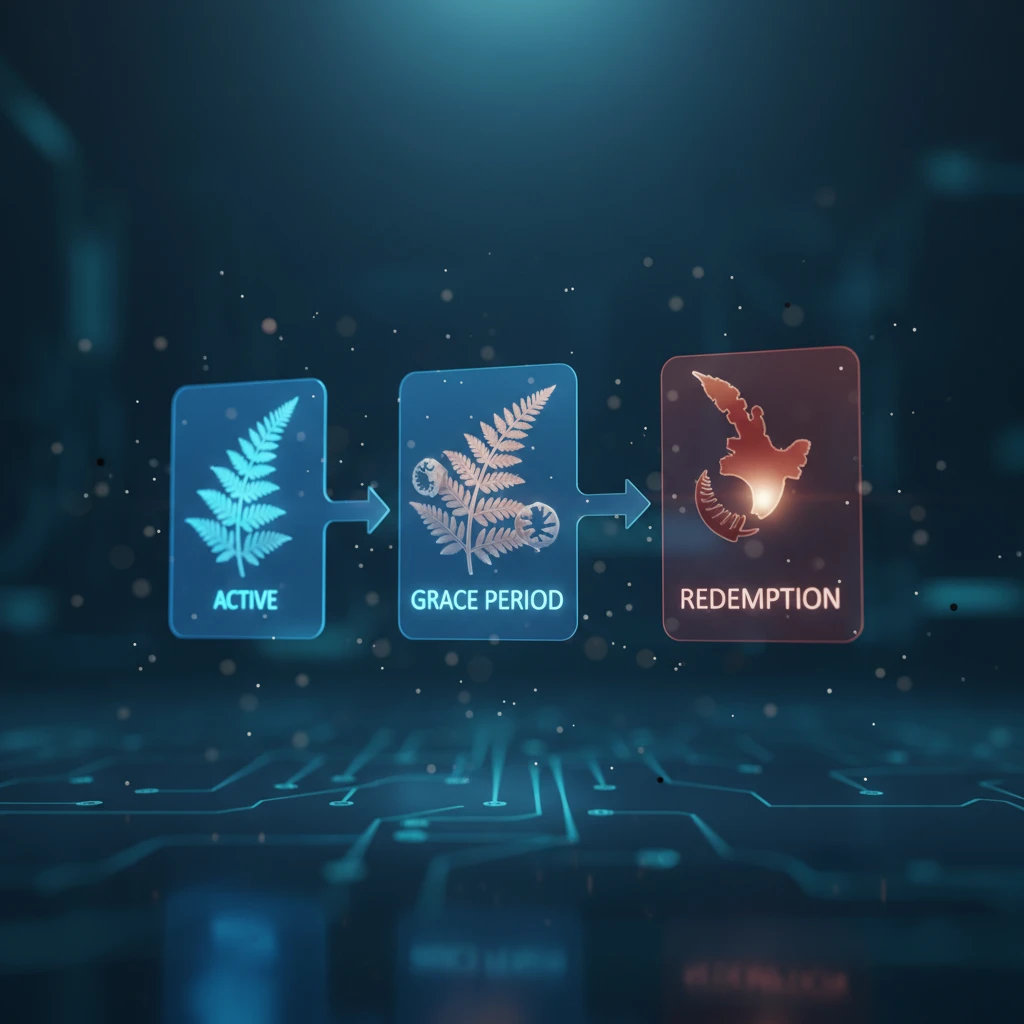
When a domain reaches its expiry date, it does not immediately become available to the public. It enters a specific lifecycle:
- Grace Period (0-90 Days): The domain stops resolving (the website goes down), but the original owner can still renew it at the standard rate. The WHOIS status may change, but the registrant details remain.
- Redemption Period: Unlike some gTLDs, .nz domains typically have a straightforward grace period, but policies can vary by registrar. If not renewed, the domain enters a “Pending Release” state.
- The Drop: Once the registry releases the domain, it becomes available on a first-come, first-served basis. This is where high-speed bulk lookup tools are critical to identifying the exact moment of availability.
Investors use the WHOIS lookup to monitor the “Date Cancelled” field (if visible) or track the “Billed Until” date to calculate the probable drop time. Note that .nz domains generally drop at a specific time of day, which is vital information for automated registration scripts.
Contacting Owners and Navigating Privacy
One of the most significant changes in the WHOIS landscape is the tightening of privacy regulations. In New Zealand, the Privacy Act and DNC policies differentiate between individual and corporate registrants.
Individual vs. Corporate Data
If the registrant is an individual, their contact details (address, phone number) are redacted by default in the public WHOIS output. You will only see the registrant’s name and the registrar’s contact email. However, if the domain is registered to a business or organization, the contact details are generally considered public record and are fully visible.
How to Contact an Anonymous Owner
If you are using an NZ WHOIS lookup tool to acquire a domain, finding “Redacted” fields can be frustrating. Here is the professional protocol for contact:
- Registrant Contact Option: Most WHOIS results for individuals will provide a specific URL or an anonymized email alias provided by the registrar. Sending a message to this alias forwards your inquiry to the owner without revealing their identity.
- Brokerage Services: If a direct contact method is unavailable, hiring a domain broker is the most effective strategy. Brokers have established relationships with registrars and can often facilitate communication through official channels.
- DNC Query: In cases of legal disputes or trademark infringement, one can apply to the Domain Name Commission for the release of withheld information, though this requires meeting a strict threshold of evidence.
Best Practices for New Zealand Domain Management
Using an NZ WHOIS lookup tool is not just for acquisition; it is a defensive tool for your own portfolio. Regular audits of your own domains ensure that your digital presence remains secure.
Verify Your Own WHOIS Data
Ensure that the email address listed in your domain’s WHOIS record is current. This is the email that receives renewal notices and UDAI (Unique Domain Authentication ID) codes required for transfers. If this email is defunct, you risk losing your domain.
Monitor for Unauthorized Changes
Cybercriminals sometimes attempt “domain slamming” or unauthorized transfers. By periodically running your domains through a lookup tool, you can verify that the status remains “Active” and that the Name Servers have not been pointed to malicious hosting providers.

Frequently Asked Questions
Is WHOIS information public for all .nz domains?
No. For individuals, personal contact information is redacted by default to comply with privacy laws. However, the registrant’s name is usually visible. For businesses and organizations, full contact details including address and phone number are typically public.
How do I find the owner of a specific .nz domain if the data is hidden?
If the data is redacted, look for a “Registrant Contact” URL or an anonymized email alias in the WHOIS result. Alternatively, you can contact the Registrar of Record listed in the search results to forward a message to the domain owner.
What is the grace period for .nz domains after expiry?
Typically, a .nz domain enters a grace period of 90 days after the “Billed Until” date. During this time, the domain will not resolve (the site goes down), but the original owner can renew it. After this period, it is released to the market.
How can I check the availability of bulk .nz domains?
You can use specialized bulk lookup tools that accept CSV uploads or text lists. These tools query the registry for multiple domains simultaneously, providing a status report for each. This is essential for investors and SEOs analyzing large datasets.
Can I hide my WHOIS data if I am a business in New Zealand?
Generally, no. The .nz policy mandates that trading entities (businesses) must have transparent contact information. Privacy redaction is primarily reserved for non-trading individuals to protect their personal privacy.
What is the difference between .co.nz and .nz?
.co.nz is a second-level domain traditionally used by businesses, while .nz is the top-level domain allowing for shorter names. Both are governed by the same registry, but they are separate assets. Owning one does not automatically grant ownership of the other.
