

To register a .eth domain in New Zealand, you must first acquire Ethereum (ETH) through a compliant exchange like Easy Crypto or Swyftx. Next, fund a non-custodial wallet like MetaMask, connect it to the official ENS application, search for your available name, and execute the two-step on-chain transaction to mint your Web3 identity.
The transition from Web2 to Web3 has made digital identity one of the most sought-after asset classes in the digital economy. For New Zealand investors and tech enthusiasts, acquiring a .eth domain is the foundational step in establishing a decentralized presence. Unlike traditional .co.nz domains managed by centralized registrars, an Ethereum Name Service (ENS) domain is a user-owned NFT (Non-Fungible Token) that doubles as a readable crypto wallet address and a decentralized website host.
This guide provides a comprehensive, professional walkthrough on how to register .eth domains in NZ, covering everything from converting NZD to ETH to securing your new digital asset.
What is an ENS Domain and Why Do You Need One?
The Ethereum Name Service (ENS) is a distributed, open, and extensible naming system based on the Ethereum blockchain. Its primary job is to map human-readable names like ‘alice.eth’ to machine-readable identifiers such as Ethereum addresses, other cryptocurrency addresses, content hashes, and metadata.
For a New Zealand business or individual, holding a .eth domain is akin to securing a .com in the late 90s. It simplifies transactions significantly. Instead of asking a client to send payment to 0x4cbe...39b, you simply ask them to send it to yourname.eth. Furthermore, because it is an NFT, it is a tradeable asset that can appreciate in value, can be used as a cross-platform username, and is censorship-resistant.

Prerequisites: Wallet and Crypto Setup
Before you can interact with the ENS application, you need the infrastructure to communicate with the blockchain. Unlike buying a domain from a standard registrar where you input credit card details, Web3 requires you to be your own bank.
You will need two things:
- A Web3 Wallet: This acts as your login credential and storage for your digital assets.
- Ethereum (ETH): The native currency of the network, used to pay for the annual registration fee and the network transaction costs (gas).
Setting Up a MetaMask Wallet for NZ Users
MetaMask is the industry standard for interacting with Ethereum-based applications. It functions as a browser extension or a mobile app.
How do I install MetaMask?
Follow these steps to create your self-custody wallet:
- Download the Extension: Visit the official MetaMask website and install the extension for Chrome, Firefox, or Brave. Ensure you are on the legitimate site to avoid phishing scams.
- Create a Wallet: Click “Create a new wallet.” You will be asked to create a strong password.
- Secure Your Secret Recovery Phrase: This is the most critical step. MetaMask will generate a 12-word seed phrase. Write this down on paper and store it in a fireproof safe. Do not store it digitally, in a screenshot, or in your email. If you lose this phrase, you lose access to your funds and domains forever.
- Confirm the Phrase: The app will ask you to re-enter the words in order to verify you have saved them.
Once set up, you will see an Ethereum address (starting with 0x) at the top of the window. This is where you will send your funds.
How to Convert NZD to ETH for Domain Purchase
You cannot pay the ENS protocol directly with New Zealand Dollars. You must convert your fiat currency into Ethereum. Several exchanges cater specifically to the NZ market, offering compliance with local financial regulations.

Choosing a NZ Exchange
Popular options for New Zealanders include:
- Easy Crypto: A non-custodial broker that sends crypto directly to your wallet. It is highly rated for speed and ease of use in NZ.
- Swyftx: An exchange with strong liquidity and competitive spreads for NZ/AU users.
- Binance NZ: The local arm of the global giant, offering advanced trading features.
The Purchase Process
- Verify Your Identity (KYC): Sign up for your chosen exchange and complete the Know Your Customer process using your NZ Driver’s Licence or Passport.
- Place an Order: Select “Buy” and choose Ethereum (ETH).
- Input Amount: Domain registration is relatively cheap (approx. $5 USD/year for names 5+ characters long), but “gas fees” (network processing fees) can fluctuate. It is recommended to purchase at least $50-$100 NZD worth of ETH to ensure you have enough to cover the transaction and future management.
- Enter Wallet Address: If using a broker like Easy Crypto, copy your MetaMask address (starting with 0x) and paste it into the delivery address field. Double-check the first and last 4 characters.
- Make Payment: Pay via Bank Transfer (POLi) or Account-to-Account transfer.
Once the transaction clears on the blockchain, your MetaMask balance will update to reflect your new ETH holdings.
Step-by-Step Guide to Minting Your First Web3 Asset
With a funded wallet, you are ready to register your .eth domain. This process interacts directly with the smart contracts on the Ethereum blockchain.
1. Connect to the ENS App
Navigate to app.ens.domains. Click the “Connect” button in the top left corner and select MetaMask. A pop-up will appear asking for permission to view your address. Approve this connection.
2. Search for Availability
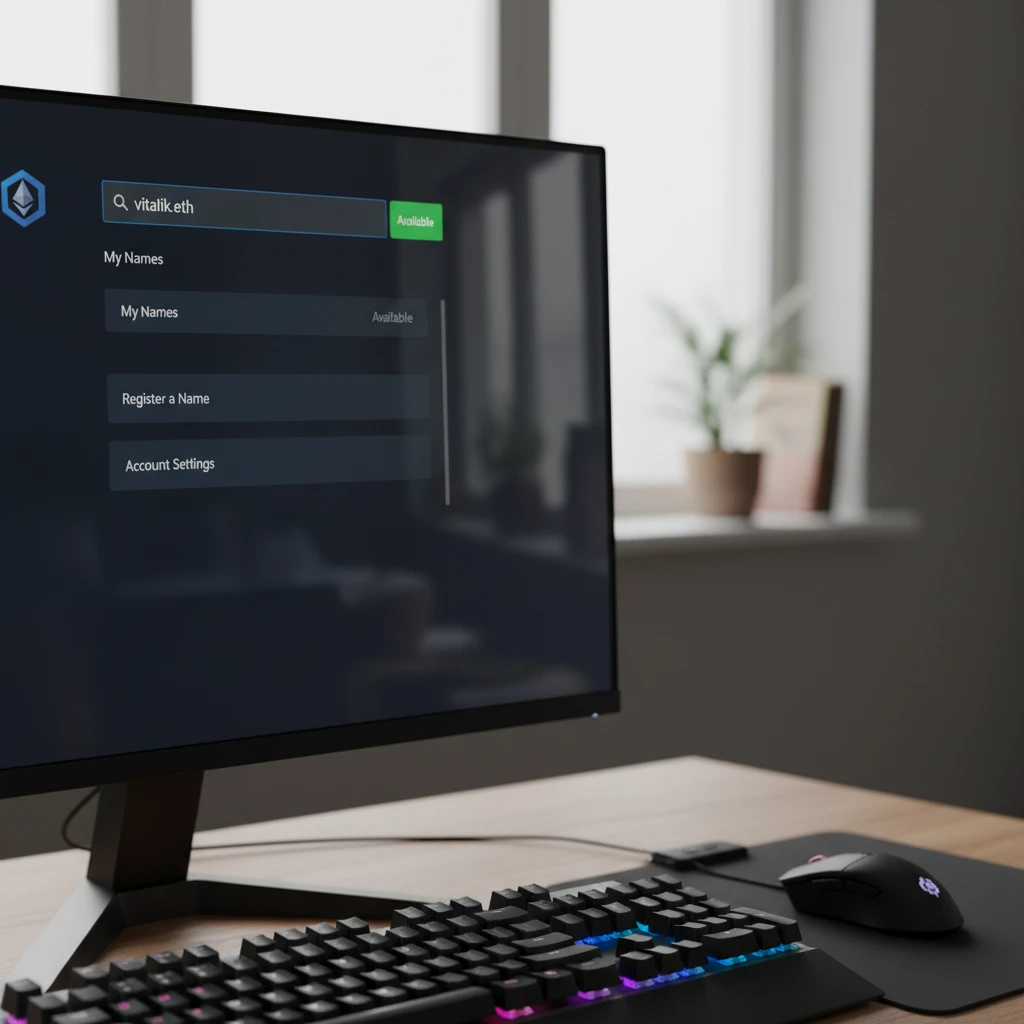
Use the search bar in the center of the screen to type your desired name (e.g., kiwibusiness.eth). The system will return the status:
- Available: You can register this name.
- Unavailable: Someone else owns it. You can view the expiration date or make an offer on a secondary marketplace like OpenSea.
3. Begin the Registration Process
Click on the available name. You will be taken to a management page where you can select the registration period. You can register for 1 year or multiple years. The longer you register, the less you have to worry about renewal, which saves on future gas fees.
4. The Two-Step Transaction (Commit and Register)
To prevent “front-running” (where bots see your transaction and try to buy the name before you do), ENS uses a two-step process:
Step A: Request to Register (Commit)
Click “Request to Register.” MetaMask will pop up asking you to confirm the first transaction. This sends a hash to the blockchain to secure your intent without revealing the name yet. Click “Confirm” in MetaMask. This will cost a small amount of gas.
Step B: Wait for the Minute Timer
Once the “Commit” transaction is confirmed on the blockchain, a 60-second timer will start on the ENS screen. You must wait for this minute to pass. This ensures the commitment is propagated across the network.
Step C: Complete Registration (Register)
After the minute is up, the “Register” button will turn blue. Click it. MetaMask will pop up again for the second, slightly more expensive transaction. This is the actual purchase. Review the gas fee and click “Confirm.”
Once this second transaction is confirmed, you officially own the NFT. The screen will update to show “You are the Controller of this name.”
Understanding Gas Fees and Registration Costs
It is vital for NZ users to distinguish between the Registration Cost and the Gas Fee.
- Registration Cost: This goes to the ENS DAO treasury. It is fixed in USD terms (paid in ETH).
- 5+ character names: ~$5 USD/year
- 4 character names: ~$160 USD/year
- 3 character names: ~$640 USD/year
- Gas Fee: This goes to the miners/validators to process the transaction. This varies wildly based on network congestion. If the network is busy, gas can be $50+ NZD. If it is quiet (often Sunday mornings NZT), it might be under $10 NZD.
Security Tips for Holding Digital Assets
Owning a .eth domain makes you a target for sophisticated phishing attacks. In the world of digital asset management, security is paramount.
Use a Hardware Wallet
For high-value domains, do not store them on a “hot wallet” (a wallet always connected to the internet like MetaMask on its own). Instead, purchase a hardware wallet like a Ledger or Trezor. You can connect these to MetaMask, ensuring that no transaction can occur without you physically pressing a button on the device.
Beware of Airdrop Scams
If you see random tokens appear in your wallet or receive emails claiming you have won an ENS airdrop, ignore them. Interacting with malicious tokens can drain your wallet.
Set Your Primary ENS Name (Reverse Resolution)
Once registered, go back to the “My Account” section on the ENS app. Select your new domain as your “Primary ENS Name.” This requires one more transaction. Once done, when you connect to Web3 sites (like Uniswap or OpenSea), your UI will display “yourname.eth” instead of “0x123…” This acts as a verification layer, ensuring you are logged into the correct account.
Frequently Asked Questions
How much does it cost to register a .eth domain in NZD?
The cost depends on the length of the name and the current price of Ethereum. A 5+ character name costs $5 USD per year (approx. $8-$9 NZD). However, you must also pay “gas fees” for the transaction, which can range from $10 to $50 NZD depending on network congestion.
Can I buy a .eth domain directly with a credit card?
Generally, no. You cannot buy it directly on the ENS app with a card. You must buy ETH first. However, some third-party onboarding services are emerging, but the safest and most standard method is buying ETH via an exchange like Easy Crypto and minting it yourself.
Do I have to pay renewal fees for my .eth domain?
Yes. ENS domains work on a rental model similar to traditional domains. You must pay the annual renewal fee before the expiration date. If you fail to renew, the domain enters a grace period and then becomes available for anyone else to register.
What happens if I lose access to my MetaMask wallet?
If you lose your password and your 12-word seed phrase, your domain is lost forever. There is no “forgot password” link in Web3. This is why physical backups of your seed phrase are mandatory for digital asset safety.
Can I sell my .eth domain later?
Yes. Because an ENS domain is an NFT (ERC-721 token), you can list it for sale on NFT marketplaces like OpenSea or LooksRare. High-value names often trade for significant amounts of ETH.
Is my personal information visible on the Whois database?
No. ENS does not use a traditional WHOIS database containing your name, address, or email. However, the Ethereum address that owns the domain is public. Anyone can see the transaction history of the wallet that owns the name.
