


DNS Management for Beginners
To manage DNS records in NZ, you must access the DNS zone editor provided by your domain registrar or a third-party service like Cloudflare. The process involves configuring specific record types—primarily A records for hosting IPs, MX records for email servers, and CNAMEs for aliases—to ensure your .nz domain correctly resolves to your digital services.
Understanding the Domain Name System (DNS)
When you purchase a domain name within the New Zealand market—whether it is a .co.nz, .nz, or .kiwi extension—you are essentially buying a human-readable address. However, computers and servers communicate using numbers known as Internet Protocol (IP) addresses. DNS acts as the phonebook of the internet, translating your memorable domain name into the specific IP address where your website or email server lives.
For business owners and IT administrators looking to manage DNS records NZ effectively, understanding this translation process is critical. If your DNS is misconfigured, your local customers cannot find your website, and your emails will bounce. In the context of the NZ domain market, your registrar (the company you bought the domain from) usually acts as the default DNS host, but you have the power to change this to improve performance and redundancy.
Key DNS Records Explained: A, CNAME, and MX
To successfully manage your domain’s infrastructure, you must understand the specific instructions, or “records,” that tell the internet how to handle requests for your domain. While there are dozens of record types, three are fundamental for any NZ business presence.
1. A Records (Address Records)
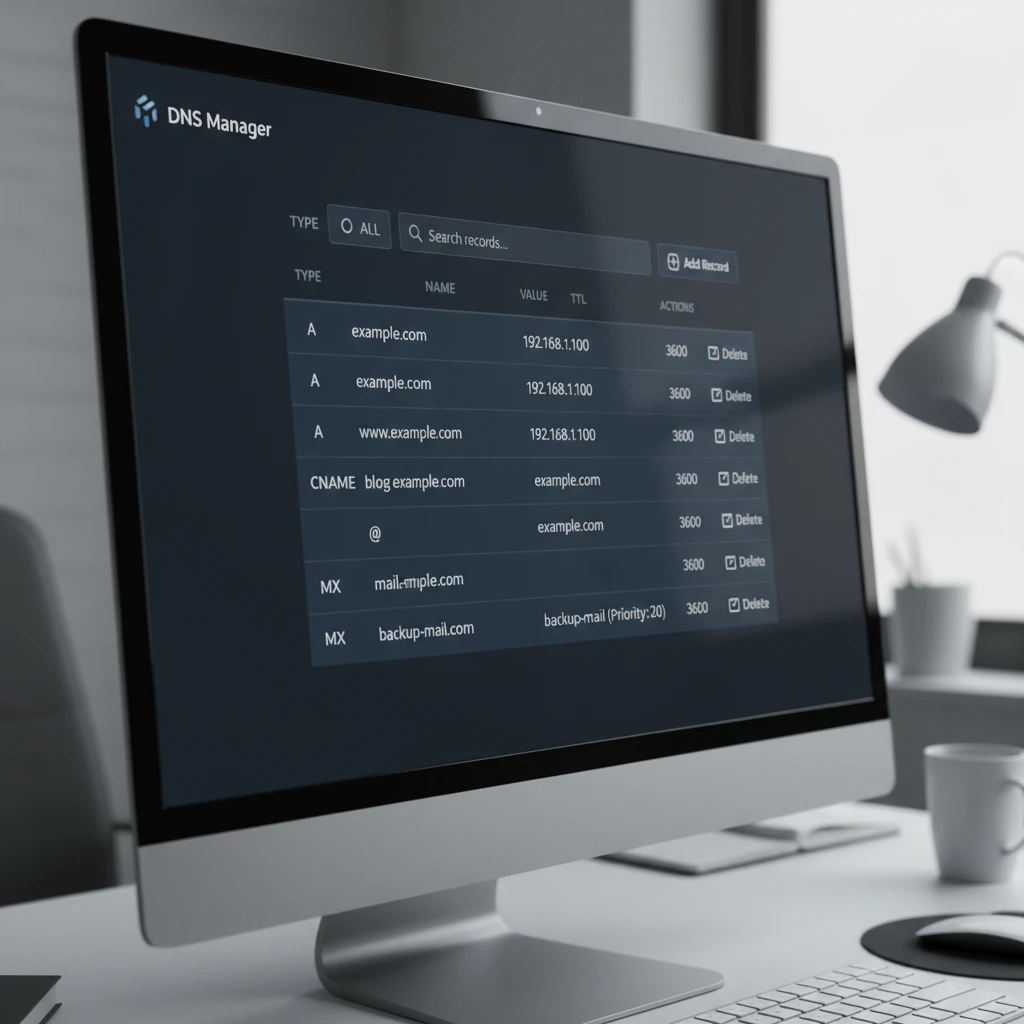
The A Record is the most fundamental type of DNS record. It maps your domain name (e.g., example.co.nz) directly to an IPv4 address (e.g., 192.0.2.1).
When you sign up for web hosting, your hosting provider will give you the IP address of the server where your website files are stored. You must log into your registrar’s portal and create an A Record that points your root domain (often denoted by the @ symbol) to this IP address. Without an A Record, typing your domain into a browser will result in a connection error.
2. CNAME Records (Canonical Name)
A CNAME record does not point to an IP address; instead, it points one domain name to another domain name. This is commonly used for subdomains.
For example, if you want www.example.co.nz to go to the same place as example.co.nz, you would use a CNAME. This is particularly useful for New Zealand businesses using platforms like Shopify or Squarespace, which often require you to point a CNAME (like shops.myshopify.com) to your subdomain rather than using a static IP address. This allows the service provider to change their underlying IP addresses without breaking your site connection.
3. MX Records (Mail Exchange)
MX records are strictly for email. They tell the internet which mail server accepts email for your domain. If you are using Google Workspace or Microsoft 365, you will be required to input specific MX records to ensure emails sent to info@example.co.nz actually arrive in your inbox.
It is important to note that MX records have a “priority” setting. Lower numbers have higher priority. This allows you to have backup mail servers; if the primary server (Priority 1) is down, the sender’s server will try the secondary server (Priority 10).
DNS Propagation Times in New Zealand
One of the most frustrating aspects for beginners learning to manage DNS records NZ is the concept of propagation. When you change a DNS record, the update is not instantaneous across the entire globe.
What influences propagation speed?
Propagation is the time it takes for your DNS changes to update across all the various servers and Internet Service Providers (ISPs) worldwide. In New Zealand, local ISPs (like Spark, One NZ, and 2degrees) cache DNS records to speed up browsing for their users.
The primary factor controlling this is the TTL (Time to Live) setting on your records. The TTL is a value in seconds that tells servers how long to hold onto the old information before checking for new information.
- High TTL (e.g., 86400 seconds / 24 hours): Good for stability, but changes take a long time to reflect.
- Low TTL (e.g., 300 seconds / 5 minutes): Ideal when you are migrating a website or making changes, as updates will be seen quickly.
The NZ Context
While global propagation can take up to 48 hours, changes to .nz domains usually propagate within New Zealand significantly faster, often within 1 to 4 hours, provided the TTL was lowered prior to the change. However, if you are targeting international traffic, you must account for the global delay.

Using Third-Party DNS (Cloudflare)
Many New Zealand domain owners stick with the default DNS provided by their registrar (such as Crazy Domains, 1st Domains, or GoDaddy). However, moving your DNS management to a dedicated third-party provider like Cloudflare offers significant advantages regarding speed, security, and control.
Why switch to Cloudflare?
Cloudflare provides a global Content Delivery Network (CDN). By pointing your nameservers to Cloudflare, you are not just managing DNS; you are placing a security shield in front of your website. This is vital for NZ businesses that may be targets of DDoS attacks or those who want to serve content faster to overseas customers.
How to switch nameservers for a .nz domain
- Create an account: Sign up at Cloudflare and add your website URL.
- Scan records: Cloudflare will automatically scan your existing DNS records. Verify that the A, CNAME, and MX records it found match your current configuration.
- Get new nameservers: Cloudflare will provide two nameservers (e.g.,
bob.ns.cloudflare.comandalice.ns.cloudflare.com). - Update Registrar: Log in to your domain registrar (where you bought the domain). Look for “Nameservers” or “DNS Servers” in the management panel. Replace the existing entries with the Cloudflare nameservers.
- Wait: Once updated, the .nz registry will push these changes. This usually takes effect within a few hours.
Troubleshooting Connection Errors
Even experienced IT professionals encounter issues when they manage DNS records. Here are common scenarios and how to fix them.
1. The “Server Not Found” Error
If you have just updated your records and see this error, it is likely a propagation issue. However, if it persists after 48 hours, check your A Record. Ensure there are no typos in the IP address and that you have not accidentally created conflicting records (e.g., two A records for the same host pointing to different IPs).
2. Email Not Being Delivered
This is almost always an MX record issue. Use an online tool like MXToolbox to scan your domain. If your MX records are missing or point to an old server, emails will bounce. Also, ensure you have configured SPF (Sender Policy Framework) and DKIM records, which are TXT records that verify your email identity and prevent your messages from going to spam folders.
3. CNAME Flattening Issues
Technically, you cannot have a CNAME record at the root domain (example.co.nz), only on subdomains (www.example.co.nz). If you try to CNAME your root domain, it may break your email (MX records). Some providers like Cloudflare offer “CNAME Flattening” to get around this, but standard registrars often do not. If in doubt, use an A Record for the root domain.

People Also Ask (PAA)
How long does it take for DNS records to update in NZ?
In New Zealand, DNS updates typically propagate within 1 to 4 hours due to local ISP caching policies. However, global propagation can take up to 48 hours depending on the TTL (Time to Live) settings previously configured on your domain records.
What is the difference between A record and CNAME?
An A Record maps a hostname to a specific numeric IP address (e.g., 192.168.1.1), whereas a CNAME record maps a hostname to another hostname (e.g., www.example.com to example.com). CNAMEs are useful for aliasing but cannot be used for the root domain if MX records are present.
Do I need to transfer my domain to change DNS?
No, you do not need to transfer your domain registration. You can keep your domain with your current NZ registrar and simply update the “Nameservers” to point to a different DNS host (like Cloudflare or your web hosting provider) to manage the records there.
Why is my .nz website not loading after changing DNS?
The most common reasons are propagation delays or browser caching. Try clearing your browser cache or checking the site on a mobile network (disconnected from Wi-Fi). If the issue persists, verify that your A Record points to the correct web server IP address.
How do I point my NZ domain to Shopify?
To point a .nz domain to Shopify, you typically need to set two records: an A Record for the root domain pointing to Shopify’s IP (23.227.38.65) and a CNAME record for the ‘www’ subdomain pointing to shops.myshopify.com.
Is it free to manage DNS records?
Yes, basic DNS management is almost always included for free with your domain registration or web hosting plan. Premium DNS services, which offer faster propagation, DDoS protection, and 100% uptime guarantees, may incur a monthly fee.
