


Email Deliverability & IDNs
An email with a macron domain utilizes Internationalized Domain Names (IDNs) containing non-ASCII characters, such as the Māori vowels ā, ē, ī, ō, and ū. While modern protocols support these via SMTPUTF8, ensuring 100% deliverability requires configuring a Punycode ASCII alias and robust authentication records like SPF, DKIM, and DMARC to bypass legacy system limitations.
The Rise of IDNs in New Zealand Digital Infrastructure
In the landscape of New Zealand digital asset brokerage and advisory, maintaining a brand that reflects cultural authenticity while ensuring technical robustness is paramount. With the increasing adoption of Te Reo Māori in business communications, the demand for email with macron domain addresses has surged. Internationalized Domain Names (IDNs) allow businesses to use characters beyond the standard Latin alphabet (A-Z), specifically incorporating macrons (tohutō) like ā, ē, ī, ō, and ū.
For a digital asset brokerage, trust is the currency of trade. Using a domain that correctly spells a Māori name signals respect and attention to detail. However, the email ecosystem was built decades ago on 7-bit ASCII text, which did not account for these characters. While the web (HTTP) has adapted seamlessly to IDNs, email (SMTP) has struggled to catch up, creating a complex environment for administrators and IT strategists.
The Challenge of Non-ASCII Emails
The core issue lies in the historic architecture of the internet. The Domain Name System (DNS) and Simple Mail Transfer Protocol (SMTP) were originally designed to handle only ASCII characters. When you attempt to send an email from contact@tāhuhu.nz, legacy servers interpret the ‘ā’ not as a letter, but as a malformed packet or an unknown symbol.
This creates a significant deliverability risk. If a digital asset advisor sends a time-sensitive market analysis or a trade confirmation to a client using a legacy email server (common in large banking institutions or government sectors with outdated IT), the email may be rejected outright or routed silently to the spam folder. This “bouncing” occurs because the receiving server cannot look up the DNS records for a domain containing non-standard characters.
The Punycode Translation
To bridge this gap, the internet uses a system called Punycode. Punycode translates Unicode characters into an ASCII-compatible format (ACE). For example, the domain tāhuhu.nz translates to xn--thuhu-rwa.nz. While this allows the DNS system to resolve the IP address, the visual mismatch in the “From” header can trigger phishing alarms in sophisticated security filters if not configured correctly.
What is SMTPUTF8 Support?
To solve the non-ASCII problem natively, the IETF introduced the SMTPUTF8 extension. This protocol allows email servers to exchange messages using international characters in the header and address fields without needing to display the ugly Punycode version to the end-user.
However, support for SMTPUTF8 is not universal. While major providers like Google (Gmail), Microsoft (Outlook.com/Exchange Online), and Apple (iCloud) support it, there is a long tail of email service providers, spam filters, and on-premise Exchange servers that do not.

The “Downgrade” Problem
If an email sent from a macron domain passes through a relay or gateway that does not support SMTPUTF8, the message may be dropped. Some systems attempt to “downgrade” the message by stripping the special characters, which often renders the sender address invalid, making replies impossible. For a brokerage handling high-value digital assets, this unreliability is unacceptable.
Using an ASCII Alias for Maximum Reliability
Given the inconsistency of global support, the industry standard best practice for New Zealand businesses—especially those in high-trust sectors like finance and advisory—is to utilize an ASCII alias strategy.
How the Alias Strategy Works
The most robust configuration involves registering both the IDN (macron) domain and its standard ASCII equivalent. For example:
- IDN:
pūtea.nz(The brand face) - ASCII:
putea.nz(The technical backbone)
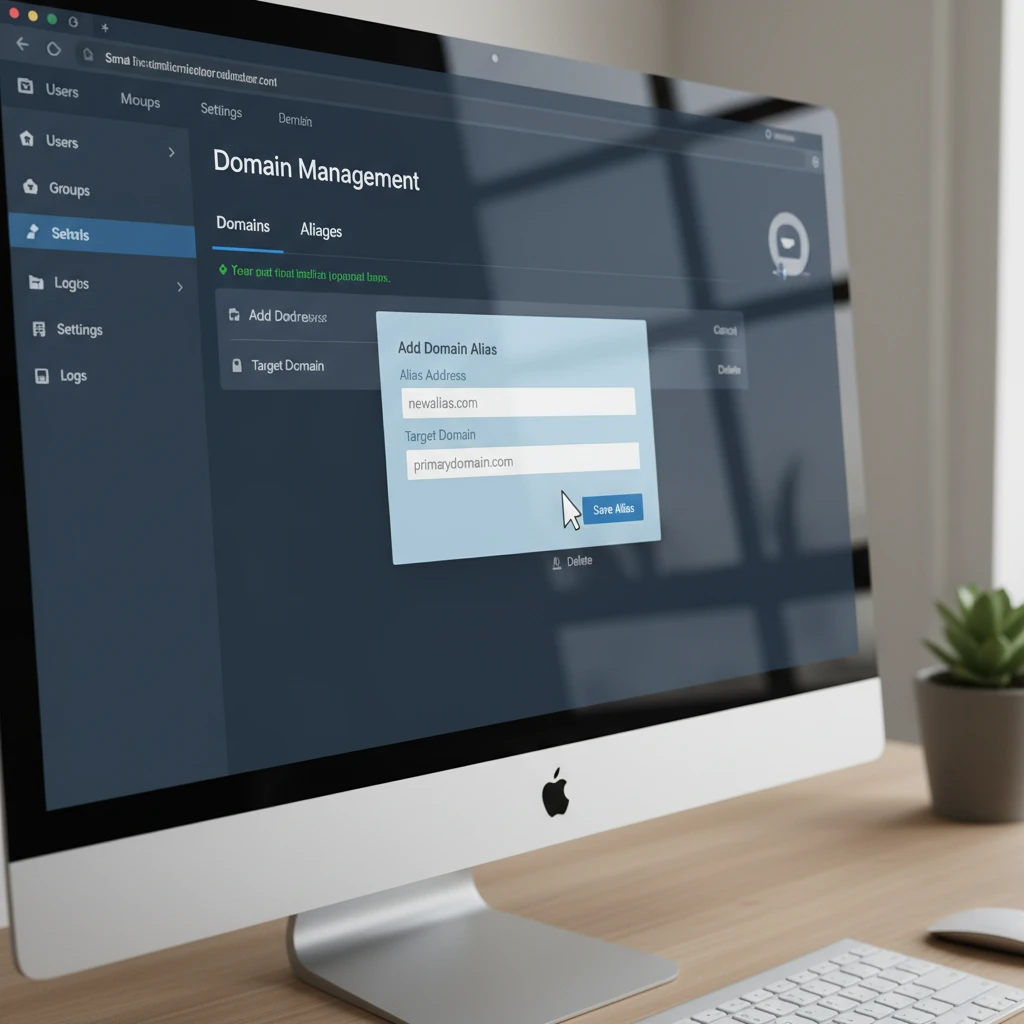
In this setup, the primary mailbox is hosted on the ASCII domain. The macron domain is added as a domain alias. Users can receive emails sent to info@pūtea.nz, but when sending critical transactional emails, the system uses info@putea.nz or utilizes the Punycode version in the envelope sender (Mail From) while displaying the macron version in the display name.
This ensures that regardless of the recipient’s server capabilities, the email is technically compliant with older protocols. It guarantees that trade confirmations, contract notes, and regulatory disclosures arrive in the inbox, not the void.
Configuring SPF, DKIM, and DMARC for IDNs
For digital asset brokerages, email authentication is not optional; it is a security requirement to prevent spoofing and business email compromise (BEC). When dealing with IDNs, configuring SPF (Sender Policy Framework), DKIM (DomainKeys Identified Mail), and DMARC (Domain-based Message Authentication, Reporting, and Conformance) requires specific attention to Punycode.
1. SPF Records Must Use Punycode
The DNS system does not understand ā or ō. When creating your TXT record for SPF, you must use the Punycode version of your domain. If you attempt to write the macron directly into the DNS zone file, most registrars will either reject it or encode it incorrectly.
Incorrect: v=spf1 include:_spf.google.com ~all (on the macron zone without translation)
Correct: You must locate the zone file for xn--ptea-qsa.nz and apply the record there.
2. DKIM Signatures
DKIM adds a cryptographic signature to your emails. When generating DKIM keys (e.g., in Google Workspace or Office 365), the system will generate a record for the Punycode domain. It is vital that the selector matches exactly. If your email header says From: user@pūtea.nz, the DKIM signature effectively signs for user@xn--ptea-qsa.nz. Modern verifiers handle this translation automatically, provided the DNS records are accurate.
3. DMARC Policies
DMARC ties SPF and DKIM together. For a brokerage, your policy should eventually be set to p=reject to protect your reputation. The DMARC record, like the others, sits on the Punycode DNS entry: _dmarc.xn--ptea-qsa.nz.

Implications for Digital Asset Brokerages
In the digital asset niche, the stakes for email failure are higher than in general commerce. A delayed email can mean a missed market entry or exit point. Furthermore, the prevalence of phishing in the crypto and digital asset space makes email authentication critical.
Trust Signals and Branding
Using a macron domain is a powerful trust signal in New Zealand, showing commitment to local identity. However, if that email lands in spam because of a missing Punycode SPF record, the trust is eroded. Brokerages should prioritize the “technical” ASCII domain for automated transactional emails (password resets, 2FA codes, trade executions) to ensure 99.9% deliverability, while using the macron domain for marketing and personal advisory correspondence where a softer, more branded touch is required.
Frequently Asked Questions
Does Gmail support sending to email with macron domains?
Yes, Gmail fully supports the SMTPUTF8 standard. You can send to and receive from email addresses containing macrons (IDNs) without issue when communicating with other Gmail users or modern providers.
How do I find the Punycode version of my macron domain?
You can use any online “Punycode converter” tool. Simply type in your domain with the macrons (e.g., tēst.nz), and the tool will generate the ACE string starting with “xn--“. This is the string you need for DNS configurations.
Why do I need an ASCII alias for my IDN email?
An ASCII alias acts as a fail-safe. Because many legacy email servers and older contact forms do not recognize non-Latin characters, an ASCII alias ensures you never miss incoming mail and improves deliverability for outgoing mail.
Can I use a macron email address for Microsoft 365?
Yes, Microsoft 365 supports IDNs. However, setting it up requires adding the Punycode version of the domain to your tenant and configuring the necessary DNS records. It is often recommended to keep the primary UPN (User Principal Name) as ASCII for login compatibility.
Do I set up SPF and DKIM on the macron name or the Punycode name?
You must set up SPF, DKIM, and DMARC on the Punycode version (the one starting with xn--) in your DNS records. The DNS protocol itself does not support native non-ASCII characters in zone files.
Is it better to use the macron or ASCII domain for business cards?
For branding in New Zealand, using the macron domain on business cards is preferred for cultural correctness and professionalism. However, ensure your email server is configured to accept mail sent to the ASCII version as well, just in case the sender cannot type the macron.
